Coro's Cloud Security module is a Cloud Access Security Broker (CASB) solution, providing malware and ransomware detection and remediation for connected users and their cloud drives.
Coro connects to an organization's cloud applications to monitor user activity, protect against threats, and control access permissions.
Coro uses an advanced threat intelligence model to identify anomalous activity in cloud-based user accounts, combining deep scans of files on cloud drives with LLM-based behavioral analysis of a user’s activity.
Coro analyzes data from cloud service activity logs to review activity and raises tickets in the Coro console for suspicious or malicious events. In most cases, Coro can remediate tickets automatically without intervention, reducing the burden on administrators. Coro ticket logs remain available for manual review if necessary, and allow admin users to react to individual events with actions such as suspending affected user accounts or removing suspected malware.
To learn more about connecting cloud applications to Coro, see Connecting cloud applications to Coro.
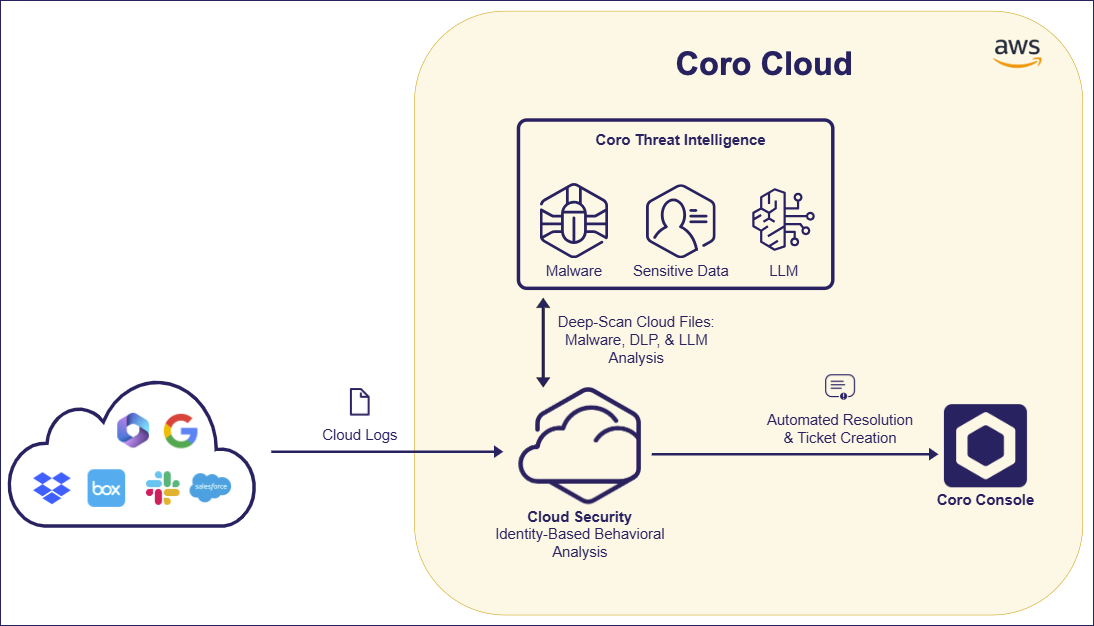
Coro provides detection and remediation for the following threat types:
- Abnormal admin activity
- Access permissions violations
- Impossible traveler
- Malware in cloud drives
- Mass data download or deletion
- Suspected bot attacks
- Suspected identity compromise
Coro's Cloud Security module provides settings to control your users' access permissions, threat detection policies, and access to third-party applications.
To configure cloud security settings:
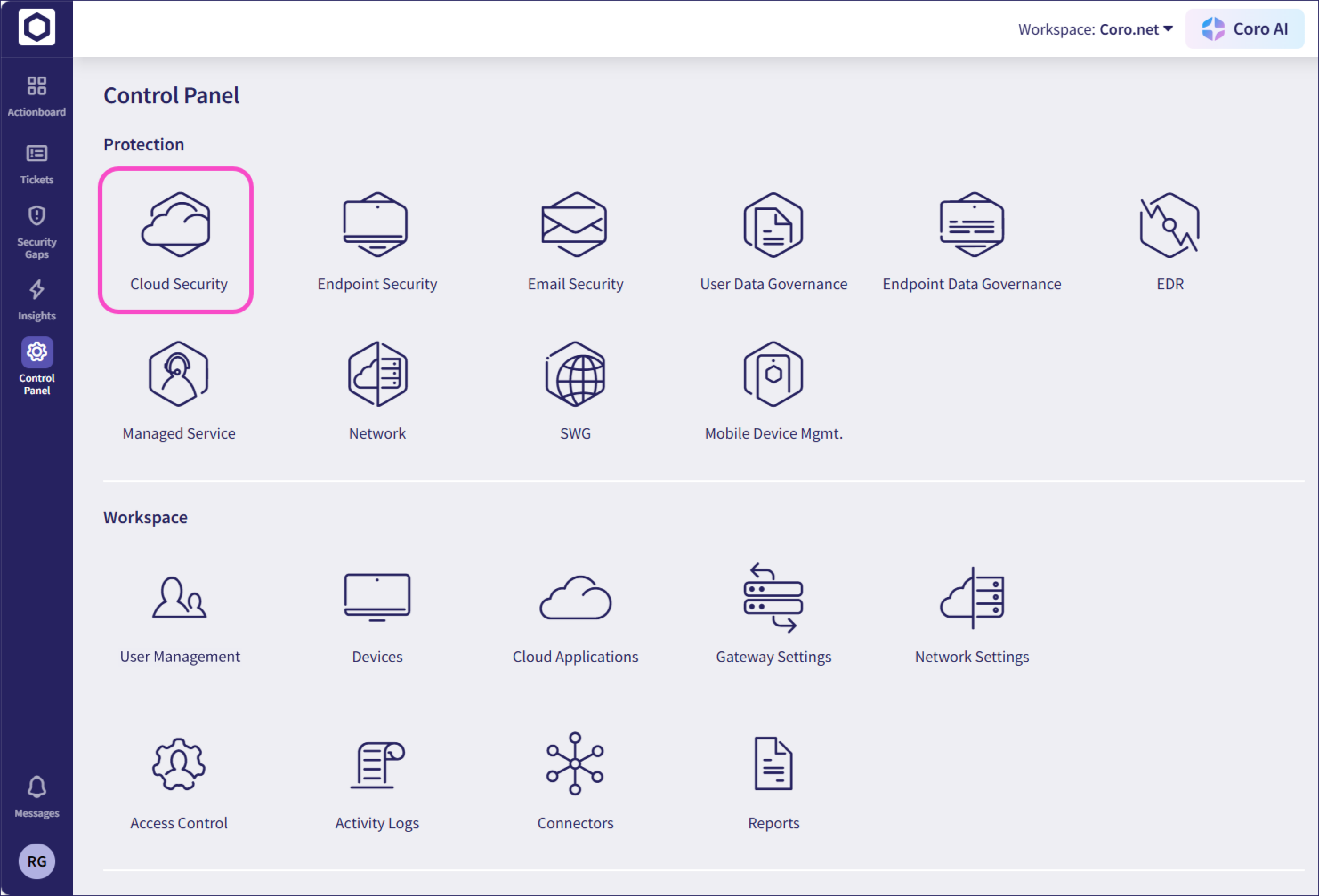
From the sidebar, select Control Panel. Then, select Cloud Security:
Coro displays the Cloud Security page:
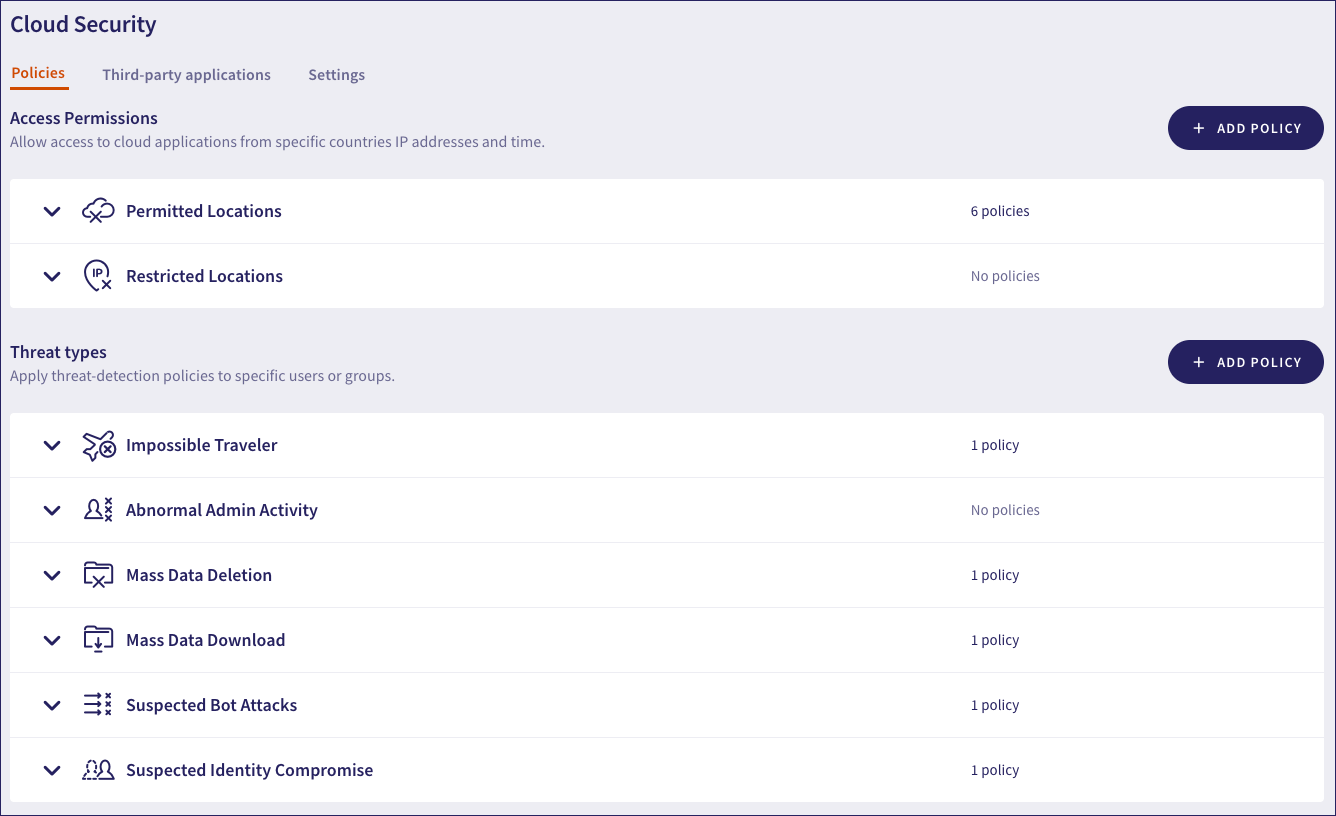
Choose from the following tabs:
Policies: Configure policies for your cloud security relating to access permissions and types of threat.
Third-party applications: Block or allow access to the third-party applications your users access through a connected cloud application.
Settings: Additional cloud security settings.