Version 3.1.1, a minor release, includes:
This section describes the new features that we are releasing with version 3.1.1.
Coro is now introducing roles for admin users at the workspace level. You can assign granular permissions to each role. This helps businesses better align with compliance needs, manage roles in alignment with their internal policies and requirements, and better ensure operational efficiency and business continuity.
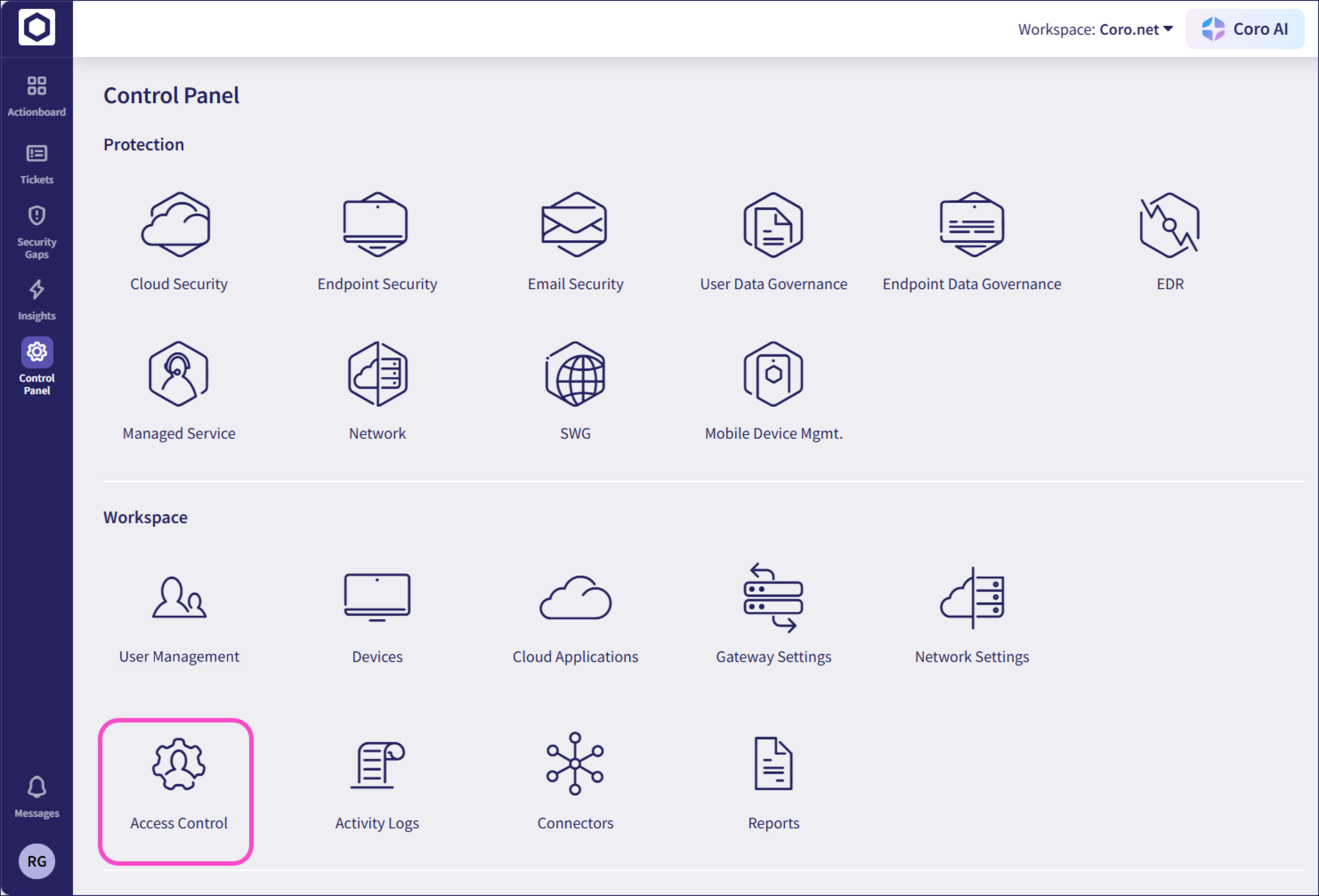
You can access roles and permissions through Control Panel -> Access Control -> Roles. Coro has three predefined roles, which can’t be edited or deleted:
- Viewer: Can view content.
- Administrator: Can view and edit content.
- Super admin: Can view and edit content. Additionally, only super admins can reassign roles to admin users.
Additionally, custom roles can be created for admin users, with permissions tailored to those users.
Permissions are categorized into the following options:
- No Access: The admin user cannot see or interact with the section.
- Can View: The admin user can see the section but cannot make changes.
- Can Edit: The admin user can view and make changes to the section.
All current admin users will automatically be assigned the super admin role. Any admin users added after the release must be assigned a role, and will not receive one by default.
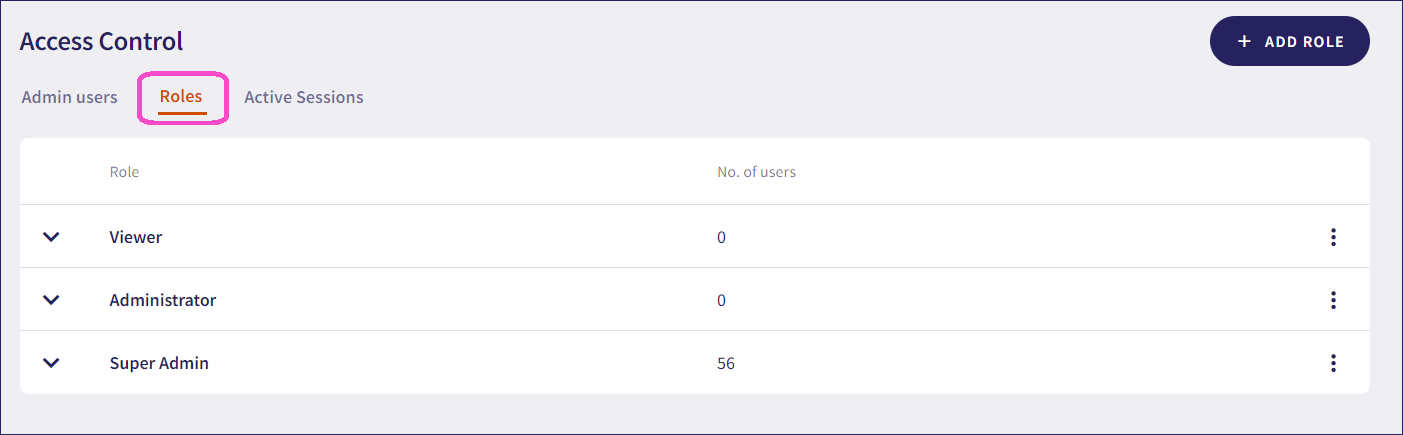
For more information, see managing roles and permissions.
Version 3.1.1 introduces the following additional changes:
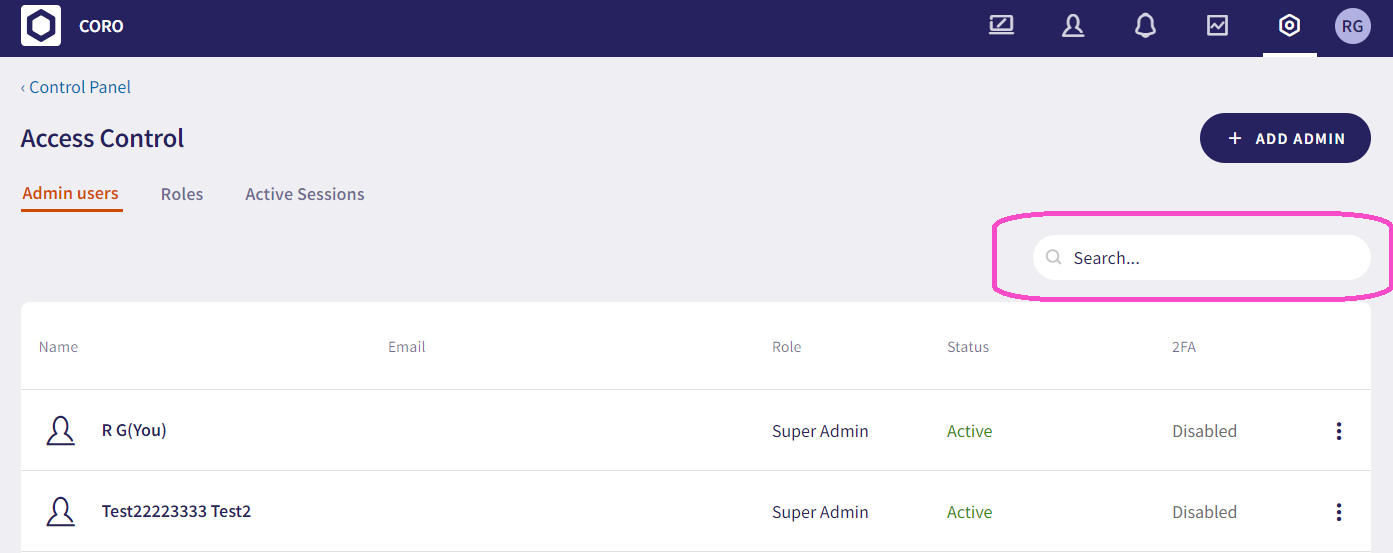
The Admin Users and Active Sessions sections are now consolidated in a new section, Access Control, along with the new Roles section.
Admin users can now be assigned roles. All current admin users will automatically be assigned the super admin role. Any admin users added after the release must be assigned a role, and will not receive one by default. Additionally, you can search for specific admin user names and emails through the search bar.
- Downloading a PDF of the summary report previously resulted in a gray box obscuring the page.
There are no Agent updates for the 3.1.1 release.