To restore a backup, visit your account in the Keepit dashboard.
From the Keepit dashboard, perform the following steps:
From the left-hand menu, select Connectors:
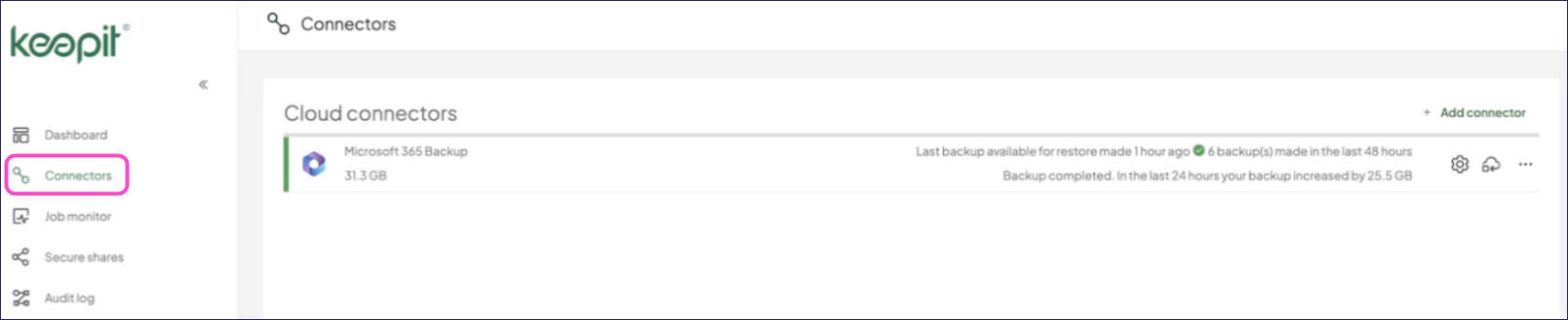
Locate the cloud app you want to restore and select the Restore icon:

Keepit also provides options to restore backups for specific data items only. Select the connector and navigate through the data contained within it. For more details, refer to the Keepit Help center.
Keepit displays the restore dialog. The steps and configuration can differ depending on the cloud app. For example, Microsoft 365 offers the following options:
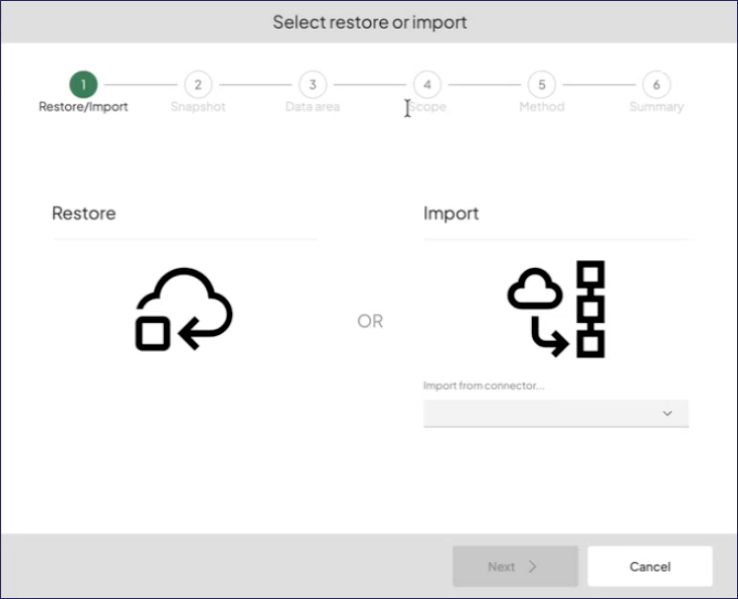
Step through the dialog, following the directions to select the type of restore operation, snapshot, scope, and other options.
In the final step, Keepit displays a summary of your selected options:
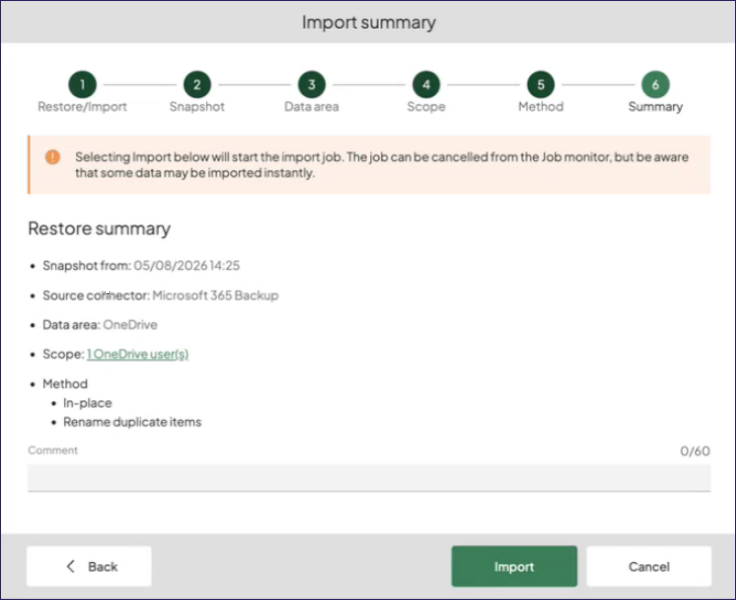
Select Restore (or Import where applicable) to start the task.
Review the restore task progress from the Job Monitor page in the Keepit dashboard.